
Most teams don't lose files. They lose time looking for them, because one person saved "Contract final.pdf", another saved "Turner contract v2 (signed).pdf", and a third left it in their downloads. Good file naming conventions fix that with a few agreed rules, so anyone can guess a file's name before they search for it. This article gives you 9 simple rules, real examples you can copy, and a plan to get your team using them.
What Is a File Naming Convention?
A file naming convention is a shared pattern for naming files. It decides what goes into a name, in what order, and how the parts are separated. For example, a team might agree that every client document follows date, client, document type, then version.
That sounds like a minor detail, but in practice it changes a lot. A consistent name tells you what a file is without opening it, it makes files sort in a useful order, and it means a new colleague can find documents on their first day without asking where everything went.
Why File Names Matter More Than Folders
Folders tell you where a file lives, but the name is what travels with it. Files get emailed, downloaded, attached to invoices, and dropped into accounting or project systems, and the folder never comes along. Only the name does, which is why file naming conventions matter even when your folders are already tidy.
Search also depends on names. If half your contracts say "agreement" and half say "contract", someone will eventually miss one, and a shared convention removes that guesswork.
9 Rules for File Naming Conventions
These are the best file naming conventions we've seen work for small teams. You don't need all of them on day one, but the first four do most of the work.
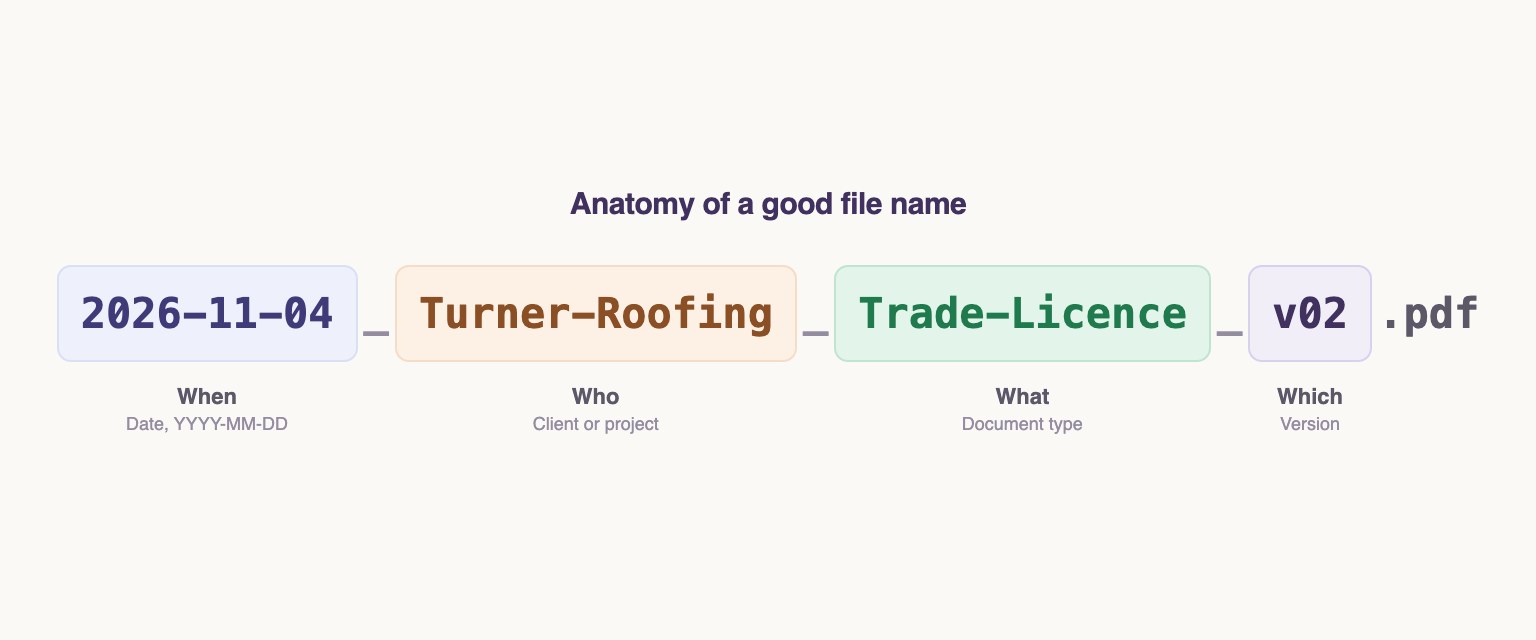
- Put the date first. Write it as YYYY-MM-DD, such as 2026-11-04, so files sort in date order on every computer and operating system.
- Add who it's for. Put the client or project name next, so a search for "Turner" immediately finds everything belonging to Turner Roofing.
- Say what it is. Describe the document with the same word every time, so it's always "Invoice", not "Inv" one day and "Bill" the next.
- Add a version only when it matters. Number drafts v01, v02, and so on, because the leading zero keeps v10 sorting after v09 instead of after v01.
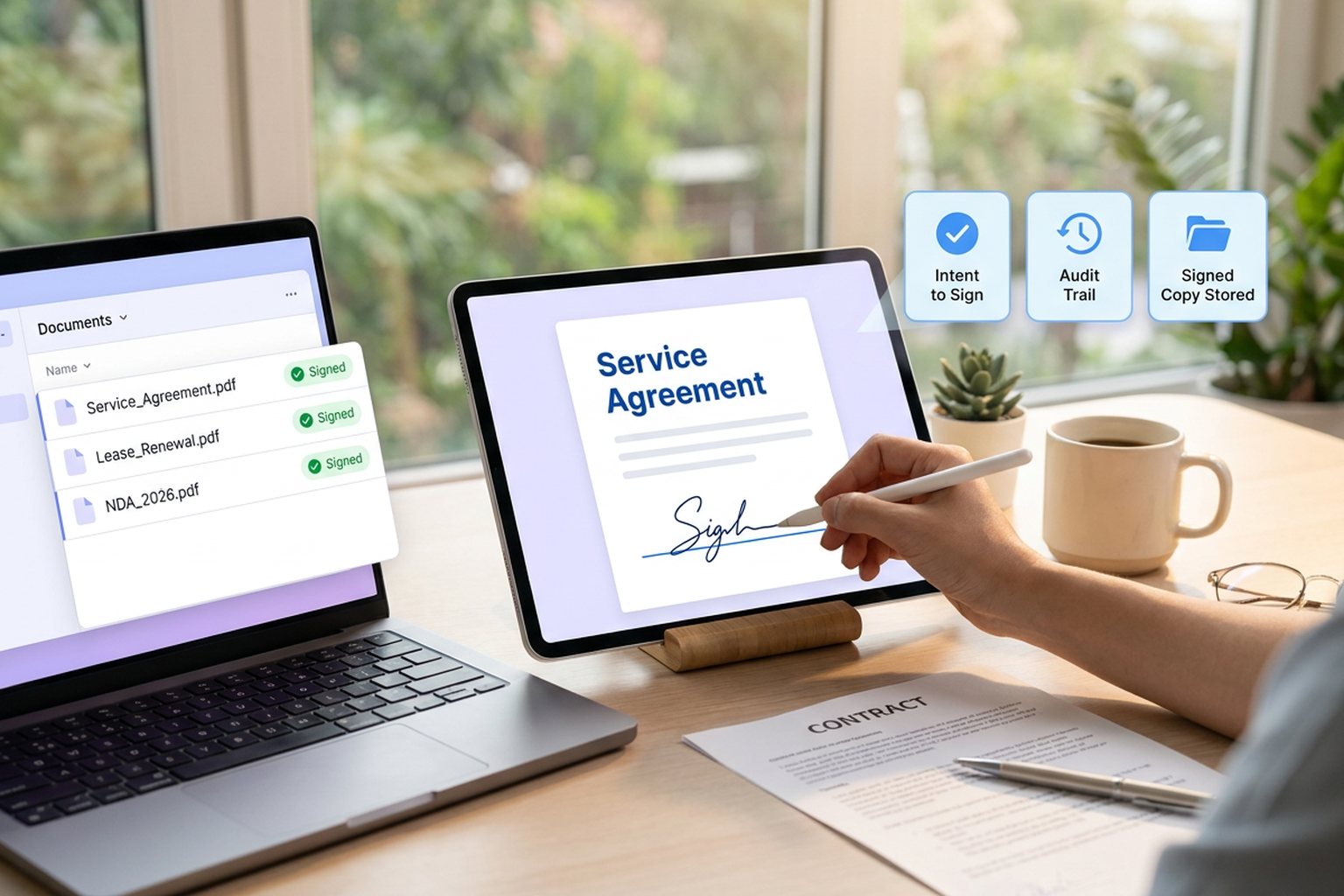
- Never write "final" in a name. There is always another final, so rely on the version number and label executed copies as "Signed".
- Skip spaces and special characters. Use hyphens inside a part and underscores between parts, because characters like / \ : * ? " # % can break uploads, links, and backups.
- Keep names short. Aim for fewer than 60 characters, since long names get cut off in file lists and some systems refuse them entirely.
- Use consistent abbreviations. Keep a short list, such as "PO" for purchase order and "NDA" for non-disclosure agreement, and stick to it.
- Write it down. A one-page guide in a shared folder is far more reliable than a rule that lives in one person's head.
Which Date Format Should You Use?
Use year, month, day, written with hyphens: 2026-11-04. It is the international standard format, it reads the same way in every country, and, most usefully, it sorts correctly. Files named this way line up from oldest to newest in any folder view, on Windows, Mac, or a cloud drive, without anyone touching a setting.
Other formats cause quiet problems. Written as 11-04-26, the same date means the fourth of November to an American colleague and the eleventh of April to a British one. Month names such as "Nov" sort alphabetically, so April lands before January. If you only change one habit this week, make it this one.
When to Break the Rules
A convention should serve your team, not the other way round. Templates, logos, and reference files that never change don't need a date at the front. Files you receive from outside, such as a client's tax return, are often easier to find if you keep the sender's original name and add your own prefix. The test is simple: can someone who has never seen the file guess its name?
File Naming Convention Best Practices, With Examples
Rules are much easier to follow when people can see them in action, so here is how typical names change once the file naming convention best practices above are applied.
| Before | After | What changed |
|---|---|---|
| Contract final FINAL.docx | 2026-11-04_Turner-Roofing_Service-Contract_v03.docx | Date, client, and a real version number |
| scan0045.pdf | 2026-10-28_Emma-Clarke_Passport.pdf | Says what the file is and who it belongs to |
| invoice nov.pdf | 2026-11-01_Shah-Architects_Invoice_1042.pdf | Sorts by date and matches the invoice number |
| Meeting notes (2).docx | 2026-11-12_Okafor-Electrical_Meeting-Notes.docx | No duplicate copy numbers |
| Licence Turner 11/4/26.pdf | 2026-11-04_Turner-Roofing_Trade-Licence.pdf | Slashes removed; date reformatted |
Notice that the "after" names are a little longer, and that's perfectly acceptable: a name that is ten characters longer but immediately understandable is worth the extra typing.
Document Naming Conventions When You Work With Clients
If you hold papers for clients, document naming conventions work best when they mirror how people look things up. Most people search by client first, then by type, so files you keep for clients usually follow this pattern:
YYYY-MM-DD_Client-Name_Document-Type_v01
For records with an expiry date, such as licences or permits, some teams add the expiry date at the end, like "_exp-2027-11-04". It helps at a glance, but don't rely on the name alone to remind you, because a file name will never send an alert before something expires.
How to Name Files Your Team Will Actually Follow
Knowing how to name files is the easy part; getting five busy people to do it the same way is harder. This rollout works for most small teams:
- Agree on the pattern together in a 30-minute meeting, using real documents from your own folders as examples.
- Write it on one page, with three or four before-and-after examples.
- Apply it to new files only, rather than spending a week renaming the archive.
- Rename old files when you touch them, a few at a time.
- Check a sample once a month and fix drift early.
Expect a few mistakes during the first couple of weeks, and when they happen, point them out kindly and correct the name rather than criticising the person.
Common Mistakes to Avoid
- Using dates like 11-04-26, which sort badly and mean different things in the US and the UK.
- Putting the person who saved the file in the name. That belongs in the file's history, not its name.
- Making the pattern so detailed that nobody remembers it.
- Changing the rules every few months, so old and new names never match.
A Common Scenario
A six-person contractor keeps trade licences for 40 subcontractors. One morning the office manager is out sick, and a site lead needs Turner Roofing's current licence before work can start. He searches "Turner licence" and finds nothing, because the file is called "scan 2026 signed.pdf". After the team agrees on a naming pattern, the same search takes ten seconds: "2026-11-04_Turner-Roofing_Trade-Licence.pdf" comes straight up, and the newest one sorts to the top.
Where Software Fits In
A naming convention will take you a long way with ordinary folders, although it becomes harder to maintain once you hold the same documents for dozens of clients. DocuStacker gives every client the same folders and keeps a version history for each file, so names don't have to carry the client's location or a string of "v2, v3, final". If you're also tidying up where files live, our guide on setting up shared folders covers the other half.
The Bottom Line
File naming conventions don't need to be clever. Put the date first in YYYY-MM-DD form, add the client and the document type, use version numbers instead of "final", and write the rules down. Start with new files, keep the guide to one page, and your team will find what they need in seconds instead of minutes.